
Manual





Phonebook
The phonebook on your Galaxy can be downloaded to
your Bluetooth handset. Each downloaded phonebook
entry can store up to 500 entries. You can access these
phonebook entries and use them to make a call. During
the phonebook reviewing, if a number is more than 12
digits, press to review the other digits.
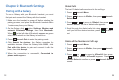
Download Phonebook from the Galaxy
Make sure that the Galaxy is already connected to the
Bluetooth handset, and place your Galaxy next to the
base during the downloading.
Press beneath .
Press beneath to choose .
Press to move to , then press beneath
. appears. Press beneath
to confirm or press beneath to cancel.
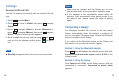
During the downloading, appears. After that,
you can review the Galaxy's phonebook via your
Bluetooth handset.
Menu
Select 1Phonebook
2Sync
Select Is Sync? Select
Exit
Syncing
Also,
your Galaxy need to accept the request.
1
2
3
4
5
15
Chapter 3: Basic Functions
Making a Call
Make calls on the Galaxy in normal ways.
Using the Galaxy
Using the Bluetooth handset
Your handset also support voice dialing with some Galaxy.
Before using this function, set up "voice-tags" on your
Galaxy.
Press MFB twice on the handset within 0.8 seconds.
When a beep occurs, say the desired number.
Voice Dialing / S Voice
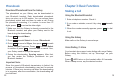
Enter a telephone number. Check it.
If you make a mistake, correct it by using beneath
.
When the number correctly appears, press to dial
it out.
Del
1
2
3
22
Since the speed of Bluetooth transmission is limited, the
process of phonebook downloading may last for several
minutes. If there is an incoming call when the downloading
is in progress, after the conversation, the downloading will
be continued.
Important Note: