
User Manual


Table Of Contents
- Front cover
- IMPORTANT
- FEATURES
- EXPLICIT DEFINITIONS
- IN CASE OF EMERGENCY
- PRECAUTIONS
- RECOMMENDATION
- INFORMATION
- DISPOSAL
- COUNTRY CODE LIST
- TABLE OF CONTENTS
- 1. OPERATING RULES
- 2. SUPPLIED ACCESSORIES AND ATTACHMENTS
- 3. PANEL DESCRIPTION
- 4. PREPARATIONS
- 5. BASIC OPERATIONS
- 6. SCAN
- 7. DUALWATCH/TRI-WATCH
- 8. DSC OPERATION
- 9. OTHER FUNCTIONS
- 10. MENU SCREEN
- 11. BATTERY CHARGING
- 12. OPTIONAL SPEAKER MICROPHONE
- 13. TROUBLESHOOTING
- 14. SPECIFICATIONS AND OPTIONS
- 15. CHANNEL LIST
- 16. SAFETY TRAINING INFORMATION
- INDEX
- Back cover
16
6
SCAN (Exept for the Dutch version)
1
2
3
4
5
6
7
8
9
10
11
12
13
14
15
16
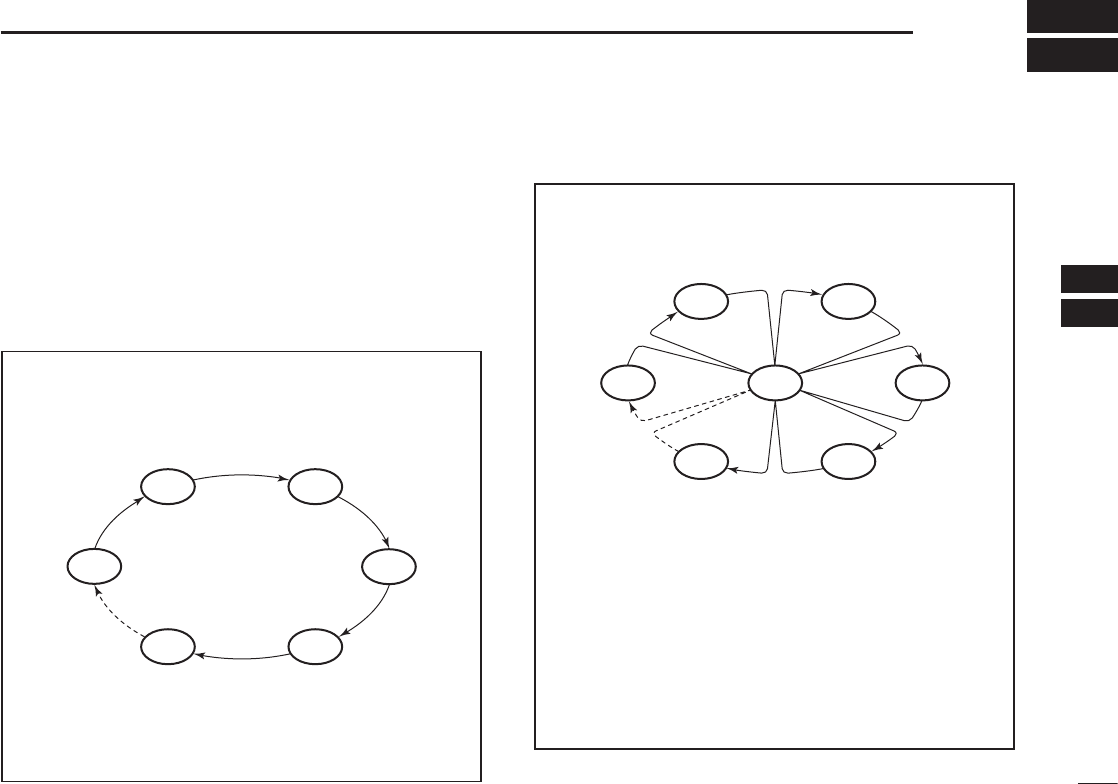
■ Scan types
You can nd ongoing calls by scanning the Favorite channels.
Before starting a scan, you need to:
• Set the channels that you want to scan as Favorite
channels. (p. 17)
LOnly the Favorite channels are scanned.
• Set the scan type to “Priority Scan” or “Normal Scan” on
the “Radio Settings” screen. (p. 55)
WX*
CH 01
CH 16
CH 02
CH 05 CH 04
CH 03
Priority Scan
The Priority Scan sequentially searches through all
Favorite channels, while also monitoring Channel 16.
When a signal is received:
On Channel 16
The scan pauses until the signal disappears.
On a channel other than Channel 16
The scan becomes Dualwatch until the signal
disappears.
*For USA, Australian, and Export versions.
When the Weather Alert function is ON, the
previously selected Weather channel is also
scanned.
CH 01 CH 02
WX*
CH 05 CH 04
CH 03
Normal Scan
The Normal Scan sequentially searches through
all Favorite channels. However, Channel 16 is not
checked unless it is set as a Favorite channel.
*For USA, Australian, and Export versions.
When the Weather Alert function is ON, the
previously selected Weather channel is also
scanned.