
User's Manual




32
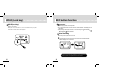
REC button Function
1
Plug Line-in cable to player and plug other side to line-in
jack of other audio device.
2 Press REC button for a long time in voice record mode
will display "MUSIC RECORD " on LCD.
3 Press REC button for short time to record music.
("Recording" and Record icon will display on LCD.)
Music Recording
31
REC button Function
3 Press REC button quickly again to start voice recording. In the bottom of the
LCD window, recording icon will be turned on and “Recording” displayed.
4 Press STOP button to stop recording.
5Press PLAY button to play the recorded
files.During playback, the recorded files will
be displayed as like V001,V002, V003,
Problem with recording?
When the lack of memory capacity or the remaining battery
capacity, it will be failed to enter REC mode.