
HP LaserJet M5035x/M5035xs MFP - (multiple language) Getting Started Guide

14
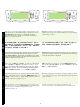
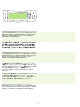
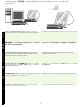
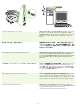
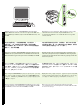
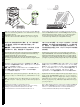
22) Configure the IP address (if necessary). On the control panel, scroll
to and touch Administration. Scroll to and touch Initial Setup, and then
Networking and I/O. Touch Embedded Jetdirect, TCP/IP, and IPV4
Settings. Touch Manual Settings, and then enter the IP Address,
Subnet Mask, and Default Gateway.
22) 配置 IP 地址 (如有必要)。在控制面板上滚动查看并
轻触管理。滚动查看并轻触初始设置,然后轻触联网和
I/O。依次轻触嵌入式 Jetdirect、 TCP/IP 和 IPV4 设置。
轻触手动设置,然后输入 IP 地址、子网掩码和默认网关。
22) 必要に応じて IP アドレスを設定します。コントロール パネルで
[ 管理 ] にタッチします。スクロールして、[ 初期セットアップ ]、続いて
[ ネットワークおよび I/O] にタッチします。[ 内蔵 Jetdirect]、[TCP/IP]、
および [IPV4 設定 ] にタッチします。[ 手動設定 ] にタッチし、
IP アドレス、サブネット マスクおよびデフォルト ゲートウェイ
を入力します。
22) IP 주소 구성 ( 필요한 경우 ). 제어판에서 운영 메뉴를 찾아 선택하십시
오 . 초기 설정 , 네트워킹 및 I/O 를 차례로 찾아 누르십시오 . 내장
Jetdirect, TCP/IP, IPV4 설정을 차례로
누르십시오 . 수동 설정을 누르고
IP 주소 , 서브넷 마스크 , 기본 게이트웨이 등을 입력하십시오 .
22)
การกําหนดคา IP แอดเดรส (หากจําเปน) ที่แผงควบคุม เลื่อนและแตะที่
Administration เลื่อนไปและแตะที่ Initial Setup จากนั้นไปที่ Networking and
I/O
แตะที่ Embedded Jetdirect, TCP/IP และ IPV4 Settings แตะที่ Manual
Settings
และปอน IP Address, Subnet Mask และ Default Gateway
22) Konfigurasi alamat IP (jika perlu). Pada panel kontrol, gulung dan
sentuh Administration. Gulung dan sentuh Initial Setup, dan kemudian
Networking and I/O. Sentuh Embedded Jetdirect, TCP/IP, dan IPV4
Settings. Sentuh Manual Settings, dan kemudian masukkan
IP Address, Subnet Mask, dan Default Gateway.