
Installation Manual



Identifying components and LEDs 16
Item Description Status
1
Uplink module UID
LED/button
Solid blue = Switch module ID is selected.
Flashing blue = Switch module firmware
update is in progress.
Off = Switch module ID is not selected.
2
Uplink module health
LED
Green = Normal operation
Flashing amber = Degraded condition
Flashing red = Critical condition
Off = No power
3
Uplink module link
LED
Solid green = Link
Off = No link
4
Uplink module
activity LED
Flashing green = Activity
Off = No activity
5
Reset button Resets the switch module
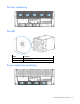
HP Moonshot 1500 Chassis Management module components
Item Description Label
1
iLO CM management port iLO/MGMT
2
iLO CM link port (disabled by default) LINK
3
Moonshot 1500 CM module HP APM port RCM
4
Moonshot 1500 CM module diagnostic port DEBUG
5
iLO CM management serial port —
6
Moonshot 1500 CM module USB connector —
7
Moonshot 1500 CM module MicroSD slot —