
Mellanox MLNX-OS® User Manualfor SX1018HP Ethernet Managed Blade Switch

Rev 1.6.9
Mellanox Technologies
88
Mellanox Technologies Confidential
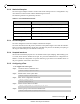
Step 6. (Optional) Set the sampling rate of the mechanism. Run:
Step 7. (Optional) Set the maximum size of the data path sample. Run:
Step 8. (Optional) Set the frequency in which counters are polled. Run:
Step 9. (Optional) Set the maximum size of the datagrams sent to the central collector. Run:
Step 10. Enable the sFlow agent on the desired interfaces. Run:
5.11.6 Verifying sFlow
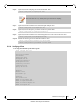
To verify the attributes of the sFlow agent:
switch (config sflow) # sampling-rate 16000
This means that one every 16000 packet gets collected for sampling.
switch (config sflow) # max-sample-size 156
switch (config sflow) # counter-poll-interval 19
switch (config sflow) # max-datagram-size 1500
switch (config interface ethernet 1/1)# sflow enable
switch (config interface port-channel 1)# sflow enable
switch (config)# show sflow
sflow protocol enabled
sflow enabled
sampling-rate 16000
max-sampled-size 156
counter-poll-interval 19
max-datagram-size 1500
collector-ip 10.10.10.10
collector-port 6343
agent-ip 20.20.20.20
Interfaces
Ethernet: eth1/1
Port-channel: po1
Statistics:
Total Packets: 2000
Number of flow samples: 1200
Number of samples discarded: 0
Number of statistic samples: 800
Number of datagrams: 300