
Service manual




Chapter 6 Replacing Parts
75
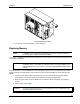
Control Panel Board Location
9. To install the Control Panel Board, reverse Steps 1-8.
Replacing Memory
NOTE If a DIMM is not recognized by the NetServer during boot; consider reseating it in
the socket before replacing it with another DIMM.
In the event of a DIMM failure, removal and replacement is simple. Be sure to refer to the following "Memory
Configuration Guidelines".
CAUTION The EDO DIMMs and PC 100 SDRAM from earlier HP NetServer models will fit into
the DIMM sockets in the NetServer LH3000r/LH3000, but the EDO DIMMs and PC
100 SDRAM will not function properly. Use only 133 MHz SDRAM DIMMs acquired
from HP.
Use this procedure to remove DIMMs from the HP NetServer's system board. The HP NetServer must be
powered down and the appropriate cover must be removed from the HP NetServer, before removing any
DIMMs.
1. Log off all users. Back up files. Follow instructions in your network operating system (NOS)
documentation to gracefully shut down all networking software and applications.
2. Press the power switch on the HP NetServer's control panel when prompted by the operating
system.
3. Disconnect the power cables.
WARNING The power supplies will continue to provide standby current to the NetServer until
the power cable is disconnected.