
Service manual




Chapter 6 Replacing Parts
98
Replacing the Processor Fan
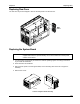
The processor fan is not hot swappable. To access it, remove the system board. Refer to the following figure.
Processor
Fan
Replacing Processors
CAUTION Do not remove the processor from its bag until you are ready to install it. Make sure
the bag remains sealed. Before you remove a processor from the anti-static
container, touch a grounded, unpainted metal surface on the HP NetServer to
discharge static electricity.
For information on processor configuration guidelines, refer to processor configuration guidelines above.
Before opening up the NetServer:
1. Log off all users. Back up files. Follow instructions in your network operating system (NOS)
documentation to gracefully shut down all networking software and applications.
2. Press the power switch on the HP NetServer's control panel when prompted by the operating
system.
3. Disconnect the power cables.
WARNING The power supplies will continue to provide standby current to the NetServer until
the power cable is disconnected.
4. If you have a rack-mounted LH3000r, then consider removing the signal cables from the rear of
the enclosure before extending the enclosure on the slides (if you don't have a cable
management arm). If necessary, label the signal cables to support re-connecting them.
5. Slide the system board assembly from the chassis and place it metal plate side down on an
anti-static pad.
6. Remove the processor cage cover by releasing the thumbscrew. Set the cover aside.