
User's Manual


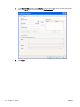


11. Under Install the print driver, click Have Disk.
12. In the Install From Disk dialog box, click Browse.
13. Browse to and select the MFP Send Fax driver .INF file extracted in step 1.
NOTE: Two versions of the .INF file are available: a 32-bit version for Windows 2000, Windows
XP, Windows Vista, and Windows 7; and a 64-bit version for Windows XP Professional x64,
Windows Vista x64, and Windows 7
The following message displays if you select the wrong version of the file: The specified location
does not contain information about your printer.
14. Click Open.
24 Chapter 1 Set up ENWW