User's Manual
Manuals
Brands
HP Manuals
Accessories
HP LaserJet MFP Analog Fax Accessory 500
21
22
23
24
25
26
27
28
29
30
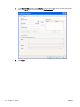
7.
In the
U
se an exist
ing port
d
rop-down menu, sele
ct the name
or
IP address o
f the MFP. Cl
ic
k
Next
and then go
to step 12
.
ENWW
Install the MFP Send Fax driver
21
1
...
...
25
26
27
28
29
...
...
86