User's Manual
Manuals
Brands
HP Manuals
Accessories
HP LaserJet MFP Analog Fax Accessory 500
21
22
23
24
25
26
27
28
29
30
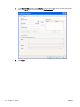
c.
In the
Fax Number
te
xt box under
Fax To
, type the fax number whe
re the test page will be
sent, click
To ->
to enter the
nu
mber in the
Fax Recipients
list.
d.
Click
Send
.
18
Chapter 1 Set up
ENWW
1
...
...
22
23
24
25
26
...
...
86