User's Manual
Manuals
Brands
HP Manuals
Accessories
HP LaserJet MFP Analog Fax Accessory 500
11
12
13
14
15
16
17
18
19
20
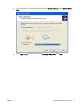
8.
If your c
omputer is
not connec
ted to the
MFP, select
Create a
new port
und
er
Select a Printer
Port
.
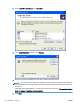
9.
In the
Type of port
drop-down menu, select
Standard TCP/IP Port
.
Click
Next
.
ENWW
Install the MFP Send Fax driver
9
1
...
...
13
14
15
16
17
...
...
86