
User Guide
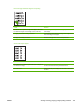
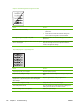
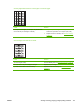




Vertically-aligned black streaks or smears appear on successive pages.
Cause Solution
A component is damaged. (For example, the photosensitive
drum inside the print cartridge is scratched.)
1. Replace the print cartridge if it is damaged and if
maintenance procedures do not improve print quality.
2. Replace the scanner assembly. See
Scanner assembly
on page 67.
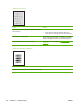
Scanned images have black dots or streaks.
Cause Solution
The scanner glass is dirty. Clean the flatbed glass. See Cleaning the device on page 36.
The toner drum in the print cartridge is damaged. Replace the print cartridge.
A problem exists with the scanner assembly. Replace the scanner assembly. See Scanner assembly
on page 67.
ENWW Solving scanning (copying) image-quality problems 127