
HP X7000 Wi-Fi Touch Mouse - User Guide

Pa
g
e 17
Left Side Buttons
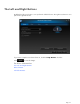
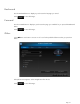
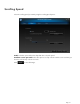
The HP mouse has two buttons on the left side of the mouse. By default, the buttons are set to operate as
Backward and Forward when pressed. Press the Backward button to display in your browser the last page
you visited. Press the Forward button to display in your browser the page you visited before you pressed the
Backward button. These buttons can be programmed to other functions..
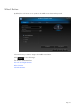
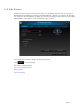
Select the function you want to assign to the button from the list.
Click to save all changes.
For More Information:
The Left and Right Buttons
Wheel Button
Left Side Buttons