
User Guide


Page 26
Batteries
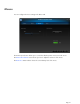
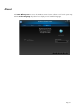
Battery status is shown in a system tray icon or on the Mouse tab of the HP Mouse Control Center.
Full power is indicated by a green battery icon in the system tray . Low battery power is indicated by
a black battery icon .
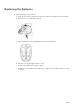
When the battery status indicates a low battery level, replace the batteries in order to continue to use the
mouse.
NOTE: Only high-capacity alkaline batteries are recommended for use with this product.