
HP VPN Server Appliance sa3110/sa3150/sa3400/sa3450 and sa3000 Series VPN Manager - Release 6.8.2 Release Notes


16
Hewlett-Packard VPN Server Appliance SA3110/SA3150/SA3400/SA3450
An extra parameter added to the current interface
command in the configuration settings allows system
administrators to turn on the relay capability for a
particular interface. Also, system administrators can define
a default gateway address for use by the relay agent. A
DHCP broadcast then can be passed along to a DHCP
server at the other end of a site-to-site tunnel using the
configured gateway address.
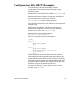
To configure the new DHCP relay capability for a VPN
tunnel, on the remote device:
To enter configuration mode, at the Hostname:NORMAL#
prompt, type config, then press Enter.
Set the black (public) Ethernet interface to dhcp-relay
enable in the following format:
int e 0
dhcp-relay enable
Type exit, then press Enter.
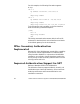
Set the red (private) Ethernet interface to dhcp-relay
enable in the following format:
int e 1
dhcp-relay enable
Press Enter.
Set the red Ethernet interface to dhcp-relay-server
followed by the IP address of the DHCP server and the IP
address of the central device in the following format:
dhcp-relay-server 192.168.1.10 207.37.244.51
Type end, then press Enter.
To save the configuration, type write, then press
Enter.
When the remote device receives a DHCP request
broadcast packet from a VPN Client, the device forwards
the packet according to the settings you made for the new
dhcp-relay-server command.
Note: You can relay requests from the internal (remote)
network only. You cannot relay requests for the internal
device’s interface from the device’s red interface. You must
configure the red interface using a local DHCP server or
using static IP.