
HP VPN Server Appliance sa3110/sa3150/sa3400/sa3450 Network Layout Reference Guide



Hewlett-Packard VPN Server Appliance SA3110/SA3150/SA3400/SA3450 Network Layout Reference Guide 1
HP VPN Server Appliance SA3110/SA3150/SA3400/SA3450 Network Layout Reference Guide
1
Network Layout Reference Guide
Network Layout Reference Guide Network Layout Reference Guide
Network Layout Reference Guide
The purpose of this
Network Layout Reference Guide
is to help
you install the HP VPN Server Appliance SA3110/SA3150/
SA3400/SA3450 in your network. The term VPN device is used in
this document to refer to all of these devices.
Here are some real-world examples of how the VPN device can
be incorporated into your network infrastructure. Skim through
the following scenarios and find the ones most similar to your
network configuration. Then, note the corresponding
configuration options to help you quickly install the VPN device
into your network.
Scenarios are divided into client and LAN-to-LAN.
Client Scenarios
Client ScenariosClient Scenarios
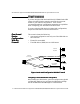
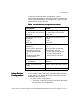
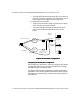
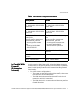
Client Scenarios • One-armed router configuration (VPN server) with no
firewall
• Inline router configuration
• In parallel with firewall (for extranet or intranet)
• Bridge configuration
• Edge router configuration
• Behind a firewall (one-armed) that may or may not use
network address translation (NAT)
• Behind a firewall (inline) that may or may not use NAT
• VPN device as a firewall
LAN-to-LAN
LAN-to-LAN LAN-to-LAN
LAN-to-LAN
Scenarios
ScenariosScenarios
Scenarios
• In parallel with a firewall and no NAT
• In parallel with a firewall with NAT
• Behind a firewall (one-armed) that may or may not use NAT
• Behind a firewall (inline) that may or may not use NAT
• VPN device as a firewall (may or may not use NAT)