
Integrate Logins with HP CIFS Server, HP-UX, and Windows 2003R2/2008


12
Configure Users and Groups
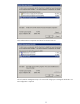
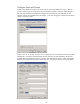
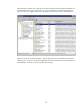
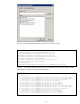
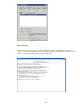
Create a new global security group on the AD with the “Users and Computers” snap-in. After the
group is created, right click on the group object and select Properties. Select the “UNIX attributes”
tab, then select the NIS Domain (this has nothing to do with UNIX NIS). The GID field will self-
populate with the next available Group ID number – in this case the group is scoobies and the GID is
10000. Close this window.
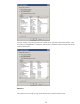
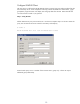
Create a new user on the AD. Once the user is created, go to the user properties and click the UNIX
attributes tab. Choose the local NIS domain (this has nothing to do with UNIX NIS), and the next
available UID will populate the UID field. The User Shell and Home Directory will also self-populate.
Add the home group from the previous step for the user. The group must have a Group ID number.