
- HP Server User Manual

Chapter 5 207
Configuring ITO
Preconfigured Elements
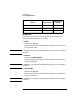
Command issued: itodiag.exe /processes
Default user: HP ITO account.
Reports for the ITO Operators
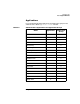
This group contains the following reports that can be started as an
application by the ITO operators:
❏ Active Message
❏ All Active Details
❏ All Active Messages
❏ All History Messages
❏ All Pending Messages
❏ History Message
❏ OpC Error Report
❏ Pending Message
System Administration Manager (SAM) — Motif and
ASCII (HP-UX)
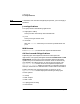
ITO can start the ASCII or Motif version of the SAM user interface on
HP-UX systems. Note that the Motif interface is only available on
HP-UX versions 9.0 and higher.
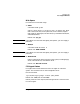
❏ Motif SAM
Command issued: sam
Default user: root (user must be root!)
Default password: none required, because application is started via
the ITO action agent.
NOTE If the default user has been changed by the operator, you must supply a
password.
❏ ASCII SAM
Command issued: sam
Default user: root (user must be root!)
Default password: none configured.