
- HP Server User Manual



Chapter 5 195
Configuring ITO
Preconfigured Elements
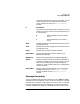
a. See Table 5-12 on page 236 for more information on supported
platforms for ECS.
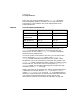
You can add, modify, or delete template groups with the Message
Source Templates window in the ITO GUI.
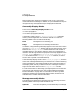
ITO Users
ITO provides a number of user configurations whose default settings
may be used as a base that can be customized to match the requirements
of individual organizations. The user configurations that come as
standard are the:
• ITO administrator
• opc_op operator
• netop operator
• itop operator
To start the ITO GUI, enter the following command:
opc
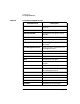
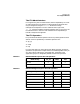
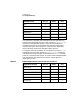
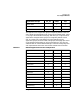
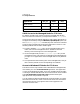
SCO OpenServer Templates for SCO OpenServer agent
SCO UnixWare Templates for SCO UnixWare agent
SINIX 5.43 Templates for SINIX 5.43 or earlier
agent
SINIX 5.44 Templates for SINIX 5.44 or later
agent
SMS (Windows NT Templates for Windows NT
Systems Management Server
Solaris Templates for Solaris agent
Windows NT Templates for Windows NT agent
Template Group Description