
Designing a High Performance Network File Server










11
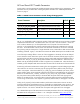
Figure 2 – intctl(1M) Output Showing Original Ethernet Interrupt CPU Assignments
The intctl command is able to accept an ASCII file with the desired CPU mappings via the
–r <file> option. For this example system, an input file called “intctl.mappings” was created
containing the optimal interrupt mappings. The contents of the input file are displayed below.
# cat intctl.mappings
1 0/120 ENABLED 0/0/12/1/0 iether 1
2 0/121 ENABLED 0/0/12/1/1 iether 1
3 0/122 ENABLED 0/0/14/1/0 iether 1
4 0/123 ENABLED 0/0/14/1/1 iether 1
5 1/121 ENABLED 1/0/4/1/0 iether 1
6 1/122 ENABLED 1/0/4/1/1 iether 1
7 1/123 ENABLED 1/0/6/1/0 iether 1
0 1/120 ENABLED 1/0/6/1/1 iether 1
The intctl command used to implement these mappings would be:
# intctl –r intctl.mappings
Figure 3 below shows the intctl output after the interrupts have been optimally assigned.
Figure 3 – intctl(1M) Output Showing New Ethernet Interrupt CPU Assignments
The CPUs in CPU-cell 0 are now assigned to the “iether” Gigabit Ethernet adapters in card-cell 0 and
the CPUs in cell 1 are assigned to the NICs in card-cell 1.
Tip: Interrupt Assignments
Any interrupt mappings performed by the intctl(1M) command only remain
in effect until the system is rebooted. Once the system is rebooted the
interrupts return to their previous randomly assigned state. Therefore, once
you have identified the optimal CPU/interrupt assignments for your server,
it is a good idea to create a new startup script (or modify an existing one)
to issue the “intctl –r <file>” command so that the interrupts are optimally
assigned during system boot.