
HP-UX Compartment Login Using Secure Shell (SSH)



3
compartment and is bound to the associated address. Finally, appropriate sets of users are configured
for authorized access to the various compartments.
Configure compartments for SSH
To allow sshd to run in the desired compartments, your configuration must include rules that allow
sshd to function correctly, much like any other compartmentalized application. The necessary rules
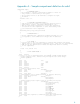
for this are provided in
Appendix A and in the sample compartment definition for Secure Shell
daemon (sshd) under /etc/cmpt/examples/sshd.example. If application-specific compartment
definitions are not defined on the target system, you can create multiple copies of this sample file and
customize them.
For example, you can create two compartments, cmpt1 and cmpt2, as follows:
# cp /etc/cmpt/examples/sshd.example /etc/cmpt/cmpt1.rules
# cp /etc/cmpt/examples/sshd.example /etc/cmpt/cmpt2.rules
Note that you minimally must edit the above copies to change at least the compartment names.
Define a Dedicated Physical or Logical Interface for Each Compartment
To support configuration of one Secure Shell daemon (sshd) for every compartment, assign a
dedicated physical LAN interface or logical interface for each compartment in the system. This allows
the secure shell daemon (sshd) to have a dedicated IP address to listen to and accept a connection
request. Combined with the access restrictions provided as part of HP-UX Compartment Login product,
use this to allow or restrict access to a specific compartment.
For example, if you have two physical LAN cards configured in the system, lan1 and lan2, you then
add rules to each compartment configuration associating these interfaces, as follows:
compartment cmpt1 {
interface lan1
…
…
}
compartment cmpt2 {
interface lan2
…
…
}
Alternatively, if only one physical LAN card is available, you can use logical interfaces. For example,
if you have two logical interfaces configured in the system, as follows:
lan0:1 Æ 192.1.1.10
lan0:2 Æ192.1.1.11
You can then directly associate these logical interfaces to the appropriate compartments:
compartment cmpt1 {
interface 192.1.1.10
…
…
}
compartment cmpt2 {
interface 192.1.1.11
…
…
}