
Designing High-Availability for Xen Virtual Machines with HP Serviceguard for Linux, September 2008
13
1. To get the virtual machine ID of the virtual machine “s102vm1” , use the command
xm list | grep “s102vm1” | awk ‘{print $2}’
2. Now use the ‘vmid’ to get the name of the virtual interface that is mapped to the virtual
machine on the dom0 host.
vif < vmid >.<interface index>
so, the derived interface is ‘vif2.0’
3. Probe the interface using the command
‘ifconfig vif2.0 | grep “UP”’.
vif2.0 Link encap:Ethernet HWaddr FE:FF:FF:FF:FF:FF
inet6 addr: fe80::fcff:ffff:feff:ffff/64 Scope:Link
UP BROADCAST RUNNING MULTICAST MTU:1500 Metric:1
RX packets:805 errors:0 dropped:0 overruns:0 frame:0
TX packets:3744 errors:0 dropped:18 overruns:0 carrier:0
collisions:0 txqueuelen:32
RX bytes:26624 (26.0 Kb) TX bytes:247301 (241.5 Kb)
The virtual machine network can be monitored from the host by simply probing the 'vif' interface
associated with the VM.
A failure of the physical interface or the virtual machine would bring the virtual interface down, thus
notifying that the network on the virtual machine has failed.
Serviceguard for Linux can then fail the package and restart it on a different node where the network
is available. Repeat the steps listed above to identify the new virtual interface on the other node and
monitor it accordingly.
Summary
Protecting Xen virtual machines with clustering provided by Serviceguard for Linux delivers lower total
cost of ownership by enabling Xen virtual machines to be used for business critical applications. This
consolidation leads to an overall reduced data center footprint.
Requirements:
Install ‘kernel-xen-devel’ rpm on all nodes configured as Xen dom0 nodes. The rpm
does not get installed by default on RHEL5. SLES10 installs the package by default when
configured through Yast2 tool. The package is required for successful installation of the
SG/LX rpm.
The Xen Control and Management Script is necessary to automate the start, stop and
monitor operations for a VM when configured as a Serviceguard for Linux package.
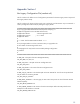
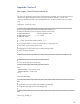
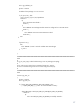
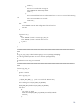
Refer Appendix I, II and II for developing the Xen control and management script.
Serviceguard for Linux require specific configurations at install time mentioned earlier.
These requirements are mandatory to ensure proper operation of SG/LX on a Xen dom0
platform.
Modification to the grub bootloader sequence is required to ensure that the machines
boots into Xen by default.