
Installation Guide, Fifth Edition - HP 9000 rp7420 Server



Chapter 4
Cabling and Power Up
MP Core I/O Connections
71
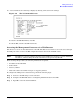
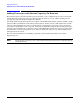
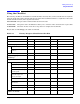
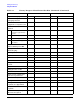
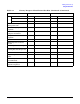
10. A screen similar to the following is displayed, allowing verification of the settings:
Figure 4-9 The ls Command Screen
To return to the MP Main Menu, enter ma.
To exit the MP, enter x at the MP main menu.
Accessing the Management Processor via a Web Browser
Web browser access is an embedded feature of the MP. The Web browser allows access to the server through
the LAN port on the core I/O card. MP configuration must be done from an ASCII console.
NOTE The MP has a separate LAN port from the system LAN port. It requires a separate LAN drop,
IP address, and networking information from that of the port used by HP-UX.
Before starting this procedure, the following information is required:
• IP address for the MP LAN
• Subnet mask
• Gateway address
• Host name (this is used when messages are logged or printed)
To configure the LAN port for a Web browser, perform the following steps:
Step 1. Connect to the MP using a serial connection.
Step 2. Configure the MP LAN. Refer to “Configuring LAN Information for the MP”.
Step 3. Type CM to enter the Command Menu.