
User Guide - rp5400 Family of Servers

7 Removing and Replacing Components
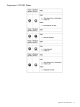
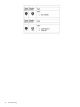
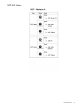
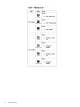
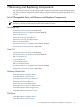
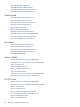
The following list of parts can be changed when required to keep the system running properly.
The remove/replace components shown under each part indicates the path required for access
to each.
List of Changeable Parts with Remove and Replace Components
NOTE: When viewed in PDF format, component remove/replace instructions may be accessed
directly by clicking on the component title listed under each part.
Cardcage Fan
Extend the Server out the Front (If Racked)
Stand-alone Server Cover Removal (If Not Racked)
Side Cover Removal
HotSwap Card Cage Fan Removal
HotSwap Card Cage Fan Replacement
Side Cover Replacement
Stand-alone Server Cover Replacement (If Not Racked)
Insert the Server from the Front (If Racked)
Core I/O
Extend the Server out the Front (If Racked)
Stand-alone Server Cover Removal (If Not Racked)
Side Cover Removal
Core I/O Removal
Core I/O Replacement
Side Cover Replacement
Stand-alone Server Cover Replacement (If Not Racked)
Insert the Server from the Front (If Racked)
HotSwap Chassis Fan
Front Bezel Removal (Single Piece)
Front Bezel Removal (Two Piece)
HotSwap Chassis Fan Cover Removal
HotSwap Chassis Fan Removal
HotSwap Chassis Fan Replacement
HotSwap Chassis Fan Cover Replacement
Front Bezel Replacement (Single Piece)
Front Bezel Replacement (Two Piece)
Disk Drive
Front Bezel Removal (Single Piece)
Front Bezel Removal (Two Piece)
List of Changeable Parts with Remove and Replace Components 97