
User Guide - rp5400 Family of Servers

Side Cover Removal
The Side Cover protects the side service bay. The power to the server does not have to be off to
remove the side cover. However, operation of the server without the side cover in place can
make it susceptible to EMI problems.
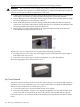
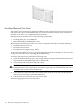
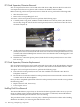
Loosen the captive T-15 screws that hold the side cover in place, then grasp the strap handle and
pull the cover away from the server.
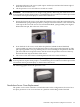
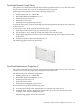
The following graphic shows the side cover with captive screw locations.
Side Cover Replacement
The power to the server does not have to be off to replace the side cover. However, operation of
the server without the side cover in place can make it susceptible to EMI problems.
Replace the side cover according to the following steps:
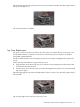
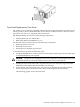
1. Grasp the strap handle and insert the tabbed end of the cover into the server chassis slots
on the right side of the side service bay.
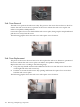
2. Push the cover into the side service bay opening and fasten the captive T-15 screws that
hold the side cover in place.
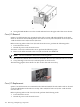
The following graphic shows the side cover with captive screw locations.
104 Removing and Replacing Components