
User Service Guide, Fifth Edition - HP 9000 rp4410/4440


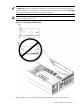



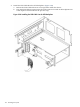

15. Wait for the power LED to stop blinking. The PCI/PCI-X card is now active.
16. Reconnect all cables.
17. Replace the top cover. (See “Replacing the Top Cover” (page 66).)
18. Push the server all the way back into the rack until it stops.
Understanding LEDs and Hardware Errors
Table 3-12 describes the hot-pluggable LED error conditions.
Table 3-12 Hot-Pluggable LED Error Conditions
DescriptionConditionPower LED (Green)
PCI/PCI-X slot is powered onOn
Hot-pluggable operation in progress. Do not touch the slotBlinking
PCI/PCI-X slot is powered offOff
DescriptionConditionAttention LED (Amber)
Hardware operational fault
NOTE: If the slot is powered on, it does not power off. If the slot
is powered off, it does not power on
On
Slot location is being indicatedBlinking
If power to the slot is on, the slot is functioning normallyOff
Troubleshooting PCI/PCI-X Hot-Pluggable Operations
Sometimes a PCI/PCI-X card does not come online during a hot-pluggable operation due to a
frequency mismatch between the PCI/PCI-X card and the slot bus or due to other hardware
errors. To determine the type of error you are experiencing, observe the LED activity described
as follows:
1. PCI/PCI-X bus mode or frequency mismatch
After you insert a PCI/PCI-X card into the slot and push the attention button, the power
LED goes from blinking to steady off and stays at steady off. The system firmware has
rejected the PCI/PCI-X card and indicates either bus-frequency or bus-mode mismatch.
After pushing the attention button, wait for the full five second operation cancellation
window before taking further action.
2. Hardware operation fault
If the PCI/PCI-X card cannot be powered on during a hot-pluggable addition operation, the
attention LED turns steady on and the power LED goes steady off.
3. Power draw is excessive
If the power draw for a newly installed PCI/PCI-X card is excessive (when combined with
that of the existing PCI/PCI-X expansion cards), the server powers off. If this occurs, check
the power ratings of all installed PCI/PCI-X cards. A known cause of power loss is the use
of more than three PCI/PCI-X RAID cards in the server.
If the PCI/PCI-X card cannot be powered off during a hot-pluggable removal operation, the
attention button turns steady on and the power LED remains steady on. A possible cause
of this condition is that a user application or process is using the card you are trying to
remove. Determine whether the card is in use by checking the operating system logs.
4. Slot does not power off
If the slot does not power off during a hot-plug removal operation, do not open the MRL
on the OLX divider. This action causes system failure or operating system crashes.
96 Installing the System