
User Service Guide, Fifth Edition - HP 9000 rp4410/4440
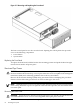
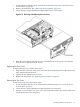
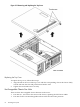
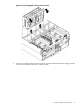
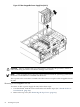
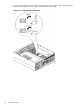

Figure 3-15 Hot-Swappable Power Supply Fan (Unit 2)
CAUTION: Observe all ESD safety precautions before attempting this procedure. Failure to
follow ESD safety precautions can result in damage to the server.
NOTE: A hot-swappable device does not require interaction with the operating system before
the device is removed from or installed into the server.
The ac power to the server does not need to be off to remove or replace a hot-swappable chassis
fan unit.
Removing a Hot-Swappable Fan Unit
To remove an I/O or power supply fan unit, follow these steps:
1. If rack-mounted, slide the server out from the rack until it stops. (See “Extend the Server
from the Rack” (page 58).)
2. Remove the top cover. (See “Removing the Top Cover” (page 65).)
68 Installing the System