
User Service Guide, Fifth Edition - HP 9000 rp4410/4440
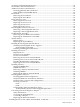
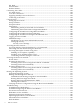
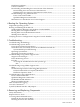
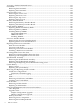
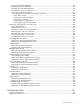

Table of Contents
About This Document.......................................................................................................17
Intended Audience................................................................................................................................17
New and Changed Information in This Edition...................................................................................17
Publishing History................................................................................................................................17
Document Organization.......................................................................................................................17
Typographic Conventions.....................................................................................................................18
HP-UX Release Name and Release Identifier.......................................................................................19
Related Documents...............................................................................................................................19
HP Encourages Your Comments..........................................................................................................19
1 Overview.......................................................................................................................21
HP 9000 rp4410 and rp4440 Server Views............................................................................................21
Detailed Server Description..................................................................................................................23
I/O Subsystem..................................................................................................................................23
Internal Core I/O........................................................................................................................23
External Core I/O........................................................................................................................23
Processors........................................................................................................................................24
Memory...........................................................................................................................................24
Cooling.............................................................................................................................................24
Power Supply Unit..........................................................................................................................24
Front Display Panel, DVD, and Diagnostic Panel...........................................................................24
Mass Storage....................................................................................................................................24
Firmware..........................................................................................................................................25
Event IDs for Errors and Events.................................................................................................25
Dimensions and Values.........................................................................................................................25
Controls, Ports, and LEDs.....................................................................................................................25
Front Panel.......................................................................................................................................25
Rear Panel........................................................................................................................................28
Power Supply Status LEDs.........................................................................................................29
iLO MP LAN LEDs....................................................................................................................30
Single-Port Gigabit Ethernet LAN Card....................................................................................31
Ports and Connectors.................................................................................................................32
USB Ports.........................................................................................................................................33
VGA Port.........................................................................................................................................33
Serial Ports.......................................................................................................................................33
iLO MP LAN Port............................................................................................................................34
Gigabit Ethernet LAN Port..............................................................................................................35
SCSI Port, Ultra 3, 68-Pin.................................................................................................................35
Additional Controls and LEDs........................................................................................................36
Hot-Pluggable Disk Drive LEDs................................................................................................36
DVD Drives................................................................................................................................37
QuickFind Diagnostic Panel.......................................................................................................37
Accessing the QuickFind Diagnostic Panel..........................................................................37
I/O Baseboard LED Indicators..............................................................................................38
Powering the Server On and Off...........................................................................................................40
Power States.....................................................................................................................................40
Powering On the Server...................................................................................................................40
Powering On the Server Using the iLO MP...............................................................................40
Powering On the Server Manually.............................................................................................41
Powering Off the Server..................................................................................................................41
Table of Contents 3