
User Service Guide, Fifth Edition - HP 9000 rp4410/4440
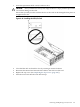
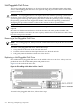


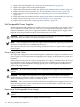


1. Slide the hot-pluggable disk drive into slot 2 until it is seated.
Figure 6-48 Installing a Disk Drive in Slot 2
2. Close the drive-ejector handle by pushing it down until it clicks.
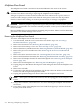
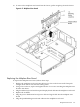
If you will not be installing a hot-pluggable disk drive in slot 2, you must install a volume filler.
Figure 6-49 Installing a Volume Filler in Slot 2
Hot-Pluggable Disk Drives 213