
User Service Guide, Fifth Edition - HP 9000 rp4410/4440
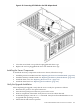

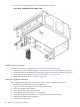


4. Open the blue PCI card latch for slot 1 by twisting it clockwise.
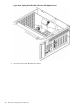
Figure 6-45 SCSI I/O Card Latch Location
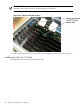
5. Remove the internal and external SCSI cables from the SCSI core I/O card.
6. Remove THE SCSI core I/O card.
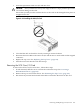
Installing the SCSI Core I/O Card
To install the SCSI core I/O card, follow these steps:
210 Removing and Replacing Components