
User Service Guide, Fifth Edition - HP 9000 rp4410/4440
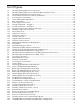



List of Figures
1-1 HP 9000 rp4410/rp4440 Server (Top View)....................................................................................22
1-2 HP 9000 rp4410/rp4440 Server with Bezel Removed (Front View)...............................................22
1-3 HP 9000 rp4410/rp4440 Server (Rear View)..................................................................................23
1-4 Control Panel - Front View of Server (with Bezel)........................................................................26
1-5 Accessing the Control Panel..........................................................................................................26
1-6 Control Panel LEDs and Buttons...................................................................................................27
1-7 Rear Panel LEDs............................................................................................................................29
1-8 Power Supply Status LED.............................................................................................................29
1-9 iLO MP LAN LEDs – Example 1...................................................................................................30
1-10 iLO MP LAN LEDs – Example 2 ..................................................................................................31
1-11 Single-Port GigE LAN Connector and LEDs................................................................................31
1-12 Dual-Port GigE LAN Card LEDs..................................................................................................32
1-13 Server Rear View...........................................................................................................................33
1-14 USB Port Connector.......................................................................................................................33
1-15 Serial Port Connector.....................................................................................................................34
1-16 iLO MP LAN Port..........................................................................................................................34
1-17 Gigabit Ethernet LAN Port............................................................................................................35
1-18 SCSI Port, Ultra 3, 68-Pin...............................................................................................................35
1-19 Hot-Pluggable Disk Drive LED Indicators....................................................................................37
1-20 DVD Drive.....................................................................................................................................37
1-21 QuickFind Diagnostic Panel..........................................................................................................38
1-22 I/O Baseboard LEDs, Buttons, and Sensors...................................................................................39
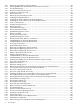
2-1 Airflow Through HP 9000 rp4410 and rp4440 Servers.................................................................48
3-1 HP 9000 rp4410 and rp4440 Servers (Top View)...........................................................................51
3-2 HP 9000 rp4410 and rp4440 Servers with Bezel Removed (Front View)......................................52
3-3 HP 9000 rp4410 and rp4440 Servers (Rear View)..........................................................................52
3-4 Accessing T-25 Screws...................................................................................................................58
3-5 Pedestal-Mounted Server..............................................................................................................59
3-6 Front View with Bezel...................................................................................................................60
3-7 Accessing the Control Panel..........................................................................................................60
3-8 Control Panel.................................................................................................................................60
3-9 Hot-Pluggable Disk Drive LED Indicators....................................................................................62
3-10 DVD or CD-RW/DVD LED Indicators..........................................................................................63
3-11 Removing and Replacing the Front Bezel.....................................................................................64
3-12 Removing and Replacing the Front Cover....................................................................................65
3-13 Removing and Replacing the Top Cover......................................................................................66
3-14 Hot-Swappable I/O Fans (Units 0 and 1).......................................................................................67
3-15 Hot-Swappable Power Supply Fan (Unit 2)..................................................................................68
3-16 I/O Baseboard Locking Lever........................................................................................................70
3-17 I/O Baseboard Assembly Removal................................................................................................71
3-18 System Battery Location on I/O Baseboard...................................................................................73
3-19 Metal Cover in Unused Slot P1.....................................................................................................75
3-20 Volume Filler Installation in Slot 2................................................................................................76
3-21 Installing a Disk Drive in Slot 2.....................................................................................................76
3-22 Installing a Disk Drive in Slots 1 and 2.........................................................................................77
3-23 Extender Board Latches.................................................................................................................79
3-24 Removing the Processor Extender Board......................................................................................79
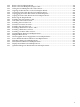
3-25 Processor Cable Placed Correctly..................................................................................................81
3-26 Processor Cable Placed Incorrectly...............................................................................................81
3-27 Installing the Processor on the Extender Board............................................................................83
3-28 16-DIMM Memory Extender Board Minimum Configuration.....................................................85
3-29 32-DIMM Memory Extender Board Minimum Configuration.....................................................86
11