
HP Apollo a6000 Chassis Setup and Installation Guide

Cabling 27
Cabling
Cabling overview
WARNING: Be sure that all circuit breakers are locked in the off position before connecting any
power components.
CAUTION: To avoid damaging the fiber cables, do not drape cables from one side of the rack
to the other and do not run cables over a hard corner or edge.
CAUTION: To avoid damaging the cable, squeeze the thermal boot on the cable before
disconnecting from the connector.
After the hardware is installed, complete the following cabling procedures:
1. Connecting the chassis to a power shelf (on page 27).
2. Connecting the optional HP APM module (on page 31).
3. Connecting power cables and applying power to the chassis (on page 32).
Connecting the chassis to a power shelf
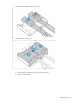
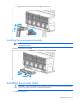
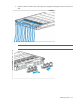
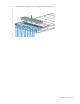
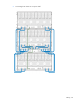
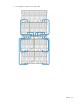
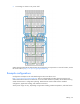
1. Connect the chassis power cage to the power shelf (blue cables).
2. Connect the chassis management module to the power shelf (green cables).
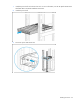
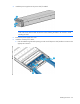
The examples below represent possible configurations for cabling the system.