
HP Apollo a6000 Chassis Setup and Installation Guide

Installing the chassis 15
Installing the chassis
Installation overview
To set up and install the chassis:
1. Unpack the system ("Unpacking the system" on page 15).
2. Determine the chassis rack spacing ("Determining the chassis rack spacing" on page 15).
3. Install the rack rails ("Installing the rack rails" on page 15).
4. Install the chassis in the rack ("Installing the chassis in the rack" on page 15).
5. Install the system components ("Installing the system components" on page 17).
6. Install the power shelf ("Installing the power shelf" on page 22).
Unpacking the system
Unpack the following hardware and prepare for installation:
• HP Apollo 6000 System
• Accessory kit
• HP Apollo a6000 5U Chassis Rail Kit
• HP Apollo 6000 Power Shelf Rack Rail Kit
• HP Apollo 6000 Power Shelf
Determining the chassis rack spacing
When planning rack spacing, allow enough space for the 5U chassis and the 1.5U power shelf. For more
information, see the HP Apollo a6000 5U Chassis Rail in HP Racks Installation Instructions.
Installing the rack rails
The chassis requires installation in a rack. To install the rack rails, see the HP Apollo a6000 5U Chassis Rail
in HP Racks Installation Instructions that ship with the HP Apollo a6000 5U Chassis Rail kit.
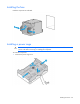
Installing the chassis in the rack