
Linux on HP ProLiant WS460c Gen8 Workstation Blade with WS460c0 Graphics Expansion Blade Administrator Guide
Using Red Hat Enterprise Linux on the workstation blade 12
2.
Download the HP RGS Linux installation pack, and then put it into the /tmp directory.
3. With system in Setup Mode and Red Hat Enterprise Linux fully installed, open the command prompt.
4. Run lspci |grep VGA, and then locate the PCI Address for the embedded and add-on (NVIDIA)
graphics cards.
The WS460c G6 workstation blade has an embedded ATI controller. The WS460c Gen8 workstation
blade has an embedded Matrox graphics card.
When running lspci (the output for PCI device ID is in HEX, and located in the xorg.conf file) the
output is in DEC. For example, if in lspci the ID reads as 21, then in the xorg.cong, you must use
33:
a. If you are running a G6 system, then locate and document the PCI address of the ATI card (For this
example, it is 01:03.0.):
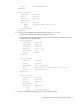
01:03.0 VGA compatible controller: ATI Technologies Inc ES1000 (rev 02)
b. If you are running a Gen8 system, then locate and document the PCI address of the ATI card (For this
example, it is 01:00.1.):
01:00.1 VGA compatible controller: Matrox Graphics, Inc. MGA G200EH
c. On both the G6 and Gen8 systems, locate and document the PCI address of the NVIDIA card (For
this example, it is 21:00.0.):
21:00.0 VGA compatible controller: NVIDIA Corporation GF104
5. Log in to system with SSH from a client like PUTTY.
6. Change runlevel to 3.
7. If you are running Red Hat Enterprise Linux 6, disable the default RHEL Nouveau driver:
a. Edit the /boot/GRUB/GRUB.conf file:
On the line beginning with kernel, append the following string:
rdblacklist=nouveau nouveau.modeset=0
For example, the original line might look like:
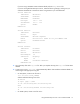
kernel /vmlinuz-2.6.32-220.el6.x86_64 ro
root=/dev/mapper/VolGroup-lv_root rd_NO_LUKS LANG=en_US.UTF-8 rd_NO_MD
rd_LVM_LV=VolGroup/lv_swap SYSFONT=latarcyrheb-sun16 rhgb quiet
rd_LVM_LV=VolGroup/lv_root KEYBOARDTYPE=pc KEYTABLE=us rd_NO_DM
It changes to:
kernel /vmlinuz-2.6.32-220.el6.x86_64 ro
root=/dev/mapper/VolGroup-lv_root rd_NO_LUKS LANG=en_US.UTF-8 rd_NO_MD
rd_LVM_LV=VolGroup/lv_swap SYSFONT=latarcyrheb-sun16 rhgb quiet
rd_LVM_LV=VolGroup/lv_root KEYBOARDTYPE=pc KEYTABLE=us rd_NO_DM
rdblacklist=nouveau nouveau.modeset=0
b. Edit the /etc/modprobe.d/blacklit.conf, and then add the following lines:
blacklist nouveau
options nouveau modeset=0
c. Perform a reboot, and then make sure the nouveau driver is not installed by running >modprobe –r
nouveau.
8. Go to the /etc/X11 directory, and then copy the xorg.conf file with the following command:
>cp xorg.conf.xorg.ORIGINAL
9. Go to the /tmp directory.
10. Install the NVIDIA driver. For this example, the version is 3.4.60: