
HP ProLiant WS460c Gen8 Workstation Blade with WS460c Graphics Expansion Blade Maintenance and Service Guide

Removal and replacement procedures 87
12.
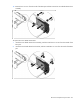
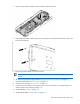
Install the hard drives ("Drive" on page 46).
13. Install the hard drive blanks ("Drive blank" on page 45).
14. Install the access panel ("Access panel" on page 28).
HP Trusted Platform Module
The TPM is not a customer-removable part.
CAUTION: Any attempt to remove an installed TPM from the system board breaks or disfigures
the TPM security rivet. Upon locating a broken or disfigured rivet on an installed TPM,
administrators should consider the system compromised and take appropriate measures to ensure
the integrity of the system data.
If you suspect a TPM board failure, leave the TPM installed and remove the system board ("System board" on
page 78). Contact an HP authorized service provider for a replacement system board and TPM board.
Quadro 500M, 1000M, and 3000M graphics cards
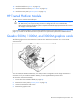
The following figure shows the mezzanine connector slots. Mezzanine connector slot 1 is the shorter
mezzanine slot.
You can install the Quadro 3000M only in a dual processor configuration on the longer mezzanine 2
connector slot. If you install the Quadro 3000M, you must populate both processor slots.
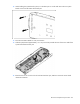
To access the mezzanine assembly:
1. Power down the workstation blade (on page 26).
2. Remove the access panel ("Access panel" on page 28).
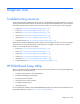
3. Loosen the mezzanine card screws.
4. Remove the graphics card.