
HP ProLiant WS460c Gen8 Workstation Blade with WS460c Graphics Expansion Blade Maintenance and Service Guide

Removal and replacement procedures 84
12.
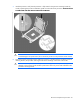
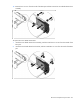
While holding the system board in place, turn the base pan on its side and remove the two system
board screws from the bottom of the base pan.
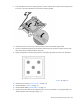
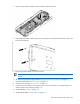
13. Place the workstation blade on a flat, level surface.
14. Slide the system board approximately 1.27 cm (0.50 inches) towards the rear of the server and lift the
system board from the base pan.
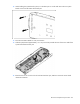
15. Remove the three T-10 screws from the outside of the base pan, and then remove the server blade
release lever bracket.