
HP ProLiant WS460c Gen8 Workstation Blade with WS460c Graphics Expansion Blade Maintenance and Service Guide

Removal and replacement procedures 74
3.
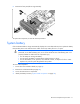
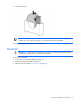
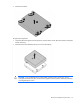
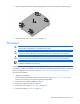
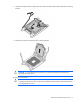
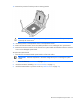
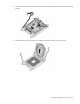
Align and install the heatsink. Alternate tightening the screws until the heatsink is seated properly.
4. Install the access panel ("Access panel" on page 28).
Processor
WARNING: To reduce the risk of personal injury from hot surfaces, allow the drives and the
internal system components to cool before touching them.
CAUTION:
To prevent possible server malfunction, do not mix processors of different speeds or
cache sizes. Refer to the label on the processor heatsink for a description of the processor.
CAUTION: To prevent possible workstation blade overheating, always populate each processor
socket with a processor socket cover and a heatsink blank or a processor and a heatsink.
IMPORTANT:
Processor socket 1 must always be populated. If processor socket 1 is empty, the
workstation blade does not power up.
Depending on the memory configuration and processor model, the memory speed may run at 1866MHz,
1600MHz, 1333MHz, or 1066MHz. For more information, see the Memory Population Table or the Online
Memory Configuration Tool on the HP website (http://www.hp.com/go/ddr3memory-configurator).
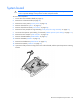
To remove the component:
1. Update the system ROM.
Locate and download the latest ROM version from the HP website (http://www.hp.com/support).
Follow the instructions on the website to update the system ROM.
2. Power down the workstation blade (on page 26).
3. Remove the workstation blade (on page 28).
4. Remove the access panel ("Access panel" on page 28).
5. Remove the heatsink ("Heatsink" on page 72).