HP ProLiant WS460c Gen8 Workstation Blade with WS460c Graphics Expansion Blade Maintenance and Service Guide
Manuals
Brands
HP Manuals
Server
HP ProLiant WS460c Gen8 Workstation
61
62
63
64
65
66
67
68
69
70
Removal an
d replacement
procedures
67
2.
Install the non
-
standard (tall)
three
-
rank DIMM baffl
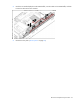
e, route the ca
ble on the DIMM baffl
e, and then
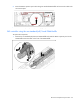
connect the cable to the SAS controller.
3.
Install the access panel
("
Access panel
" on page
28
).
1
...
...
65
66
67
68
69
...
...
111