
HP ProLiant WS460c Gen8 Workstation Blade with WS460c Graphics Expansion Blade Maintenance and Service Guide

Removal and replacement procedures 49
DIMMs
CAUTION: To prevent improper cooling and thermal damage, always install DIMMs of the same
height on the workstation blade. This workstation blade does not support mixing standard and
non-standard height DIMMs.
IMPORTANT: This workstation blade does not support mixing LRDIMMs, RDIMMs, or UDIMMs.
Attempting to mix any combination of these DIMMs can cause the server to halt during BIOS
initialization.
IMPORTANT: The Intel Xeon E5-2600 v2 Processor Family can only be configured with the
1866-MHz HP Smart Memory or the 1600-MHz Low Voltage (1.35v) HP Smart Memory. The Intel
Xeon E5-2600 Processor Family cannot be configured with the 1866-MHz HP Smart Memory or
the 1600-MHz Low Voltage (1.35v) HP Smart Memory.
To identify the DIMMs installed in the workstation blade, see "DIMM identification (on page 98)."
To remove the component:
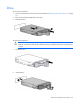
1. Power down the workstation blade (on page 26).
2. Remove the workstation blade (on page 28).
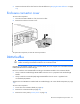
3. Remove the access panel ("Access panel" on page 28).
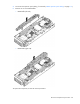
4. Remove all DIMM baffles ("DIMM baffles" on page 47).
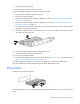
5. Locate the DIMM tool ("Tool locations" on page 99) and remove it from the DIMM baffle.
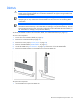
6. Remove the DIMM and then use the DIMM tool to close the DIMM slot.
To replace the component:
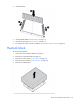
1. Use the DIMM tool to open the DIMM slot.