
HP ProLiant WS460c Gen8 Workstation Blade with WS460c Graphics Expansion Blade Maintenance and Service Guide

Removal and replacement procedures 38
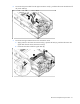
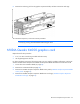
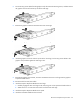
To remove the graphics cards from the graphics expansion blade and install the plate:
1. Power down the workstation blade (on page 26).
2. Remove the workstation blade (on page 28).
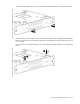
3. Remove the screws and washers.
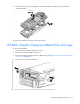
IMPORTANT: Remove the I/O plate from the original NVIDIA GRID K2 card. Before installing
the NVIDIA GRID K2 I/O plate on the graphics expansion blade, the GRID K2 card I/O plate
must be assembled with the new spare part.
IMPORTANT: For NVIDIA GRID K1 installation: Remove the pre-installed I/O plate from the
NVIDIA GRID K1 card and replace it with the I/O plate from the original NVIDIA GRID K1 card.
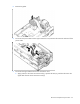
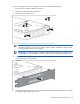
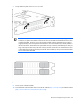
4. Align the plate to the board assembly, and then insert both tabs between the heat spreader and process
control board. Do not move the plate.
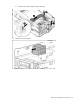
5. Install the M2.5x6 mm flat head screws through the plate hole alignment to the baseplate. Do not apply
any torque. Slightly tighten only by hand.