
HP ProLiant WS460c Gen8 Workstation Blade with WS460c Graphics Expansion Blade Maintenance and Service Guide

Removal and replacement procedures 35
9.
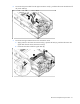
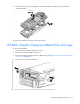
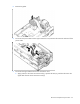
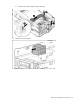
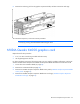
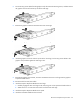
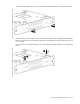
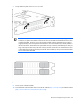
Remove the anchoring pin from the graphics expansion blade, and then remove the card cage.
To reinstall the component, reverse the removal procedure.
NOTE: After the reinstalling the pass-through mezzanine cards, ensure DIMMs are seated
correctly by pressing down the DIMMs and locking the latch.
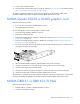
NVIDIA Quadro K4000 graphics card
Required tools for this procedure:
• T-10/T-15 Torx screwdriver (provided inside the server)
• HP Insight Diagnostics software
For basic installation instructions, follow these steps. For more specific installation information, see the HP
ProLiant WS460c Gen8 Graphics Server Blade and Expansion Blade Maintenance and Service Guide.
1. Power down the workstation blade (on page 26).
2. Remove the workstation blade (on page 28).
3. Remove the WS460c Graphics Expansion Blade access panel ("WS460c Graphics Expansion Blade
access panel" on page 29).
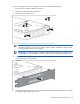
4. Remove the WS460c Graphics Expansion Blade PCIe card cage ("WS460c Graphics Expansion
Blade PCIe card cage" on page 32).