
HP Graphics Server Blade RedHat Enterprise Linux Quick Start

10
WS460c G6 and Gen8 Configuration guidelines for Linux.
There are many difference between the WS460c G6 and Gen8, but from the perspective of configuring graphics
on the WS460c, the only difference with impact is that the embedded video cards are different. On the WS406c
G6 the embedded card is an ATI Corporation video card, on the new Gen8 it is a Matrox.
Configuring Hardware Accelerated Graphics on WS460c Graphics Server Blade
The following section covers only configuration requirements specific to the HP WS460c G6 and Gen8 and
graphics configuration, it does not cover the full set of NVIDIA and HP RGS configuration options. See the
documentation specific to vendor for their specific configuration steps.
The following information complements the Blade Workstation documentation with configuration
requirements specific to Blade Workstation WS460c G6 being used for Hardware Accelerated Graphics.
Minimum Recommended Versions
Table 1. Recommend minimum versions
Setting
Value
NVIDIA Linux Driver
304.64
WS460c System BIOS
WS460c Gen8 – 9/20/2013
WS460c G6 – 12/02/2011
HP RGS
5.4.x
Supported Video cards for HP Hardware Accelerated Graphics on WS460c with Linux RHEL
WS460 G6
NVIDIA Quadro 3800, 4800, 5800, 4000, 5000, 6000
Quadro MXM 880M, 3600M, 770M, 2800M
WS460 Gen8
NVIDIA Quadro 4000, 5000, 6000, K4000, K5000, K6000
Quadro MXM 500M, 1000M, 3000M
Understanding Blade Workstation video subsystem modes
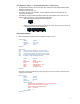
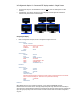
The WS460c G6 blade workstation has four distinct graphics modes (see Figure 3).
User Mode
This is the primary Production mode when used in all non-virtualized environments.
In this mode the NVIDIA card is enabled and the embedded ATI/Matrox is disabled.
In this mode the iLO console is inaccessible because it uses the ATI to generate its video.
System can be accessed via remote protocol only.
Setup Mode
This mode has both video cards enabled but the NVIDIA card is secondary.
In this mode the iLO console is accessible.
Primary mode for driver installation and maintenance.