
HP Graphics Server Blade Microsoft RemoteFX vGPU Quick Start

Solution Quick Start Guide | HP Graphics Server Blade Microsoft RemoteFX vGPU Quick Start
Server mode (WS460c G6 only)
• This mode is deprecated and rarely used for troubleshooting only and is not used/supported in production
• This mode operates in the same way as Admin mode
Procedure to set Remote Console:
1. Using either iLO remote console or the Local I/O Connector, connect to server console
2. When prompted during boot, press the F9 key. The ROM-based Setup Utility appears
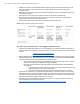
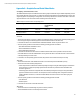
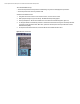
3. Select System Options > Remote Console Mode. The current Remote Console Mode appears. (figure 16)
4. To change the Remote Console Mode, press Enter. The Remote Console Mode menu appears. Use the Up and Down
arrow keys to select the desired mode. When done, press Enter and then perform the steps indicated to exit the
ROM-based Setup Utility
5. The Graphics Server Blade will reboot, and then the Remote Console Mode will be in effect
Figure 16. Remote Console Mode