
HP Graphics Server Blade Microsoft RemoteFX vGPU Quick Start

Solution Quick Start Guide | HP Graphics Server Blade Microsoft RemoteFX vGPU Quick Start
Connecting to VM
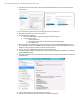
1. On Windows 7 client
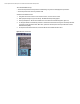
a. If connecting from a RDP connection client, on the experience tab make sure “LAN” is selected and all
check boxes checked.
b. Make sure Remote Desktop is allowed through firewall
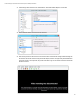
2. On Windows 8 clients
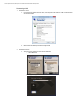
a. There are now two clients that can be used in Windows 8
i. Classic RDP Client
ii. Integrated app