
HP ProLiant WS460c G6 Workstation Blade with WS460c Graphics Expansion Blade Maintenance and Service Guide

Removal and replacement procedures 67
5.
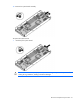
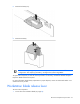
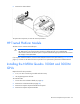
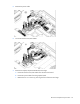
Remove the battery tray.
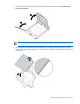
6. Remove the battery.
IMPORTANT: Replacing the system board battery resets the system ROM to its default
configuration. After replacing the battery, reconfigure the system through RBSU.
To replace the component, reverse the removal procedure. If necessary, reinstall the WS460c Graphics
Expansion Blade and the access panel.
For more information about battery replacement or proper disposal, contact an authorized reseller or an
authorized service provider.
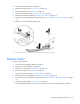
Workstation blade release lever
To remove the component:
1. Power down the workstation blade (on page 26).