
HP ProLiant SL4545 G7 Server Node Maintenance and Service Guide

Removal and replacement procedures 40
8.
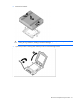
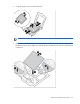
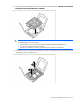
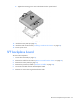
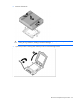
Using your fingers, remove the failed processor.
CAUTION: To avoid damage to the system board:
• Do not touch the socket contacts.
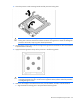
• Always install the processor socket cover after removing the processor from the socket.
• Do not tilt or slide the processor when removing the processor from the socket.
CAUTION: To avoid damage to the processor:
• Handle the processor only by the edges.
• Do not touch the bottom of the processor, especially the contact area.
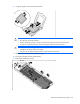
9. Remove the personality board assembly (on page 37).
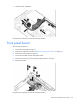
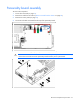
10. Disconnect all cables from the system board.
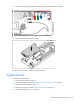
11. Remove the failed system board.