
HP ProLiant SL4545 G7 Server Node Maintenance and Service Guide

Removal and replacement procedures 30
3.
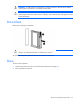
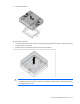
Install the heatsink.
4. Install the processor air baffle (on page 28).
5. Install the access panel (on page 23).
6. Install the node into the chassis ("Installing a node into the chassis" on page 22).
7. Power up the node.
Processor
WARNING: To reduce the risk of personal injury from hot surfaces, allow the drives and the
internal system components to cool before touching them.
CAUTION: To prevent possible node malfunction and damage to the equipment, multiprocessor
configurations must contain processors with the same part number.
CAUTION: To avoid damage to the processor and system board, only authorized personnel
should attempt to replace or install the processor in this node.
CAUTION: The heatsink thermal interface media is not reusable and must be replaced if the
heatsink is removed from the processor after it has been installed.
IMPORTANT: Processor socket 1 must be populated at all times or the node does not function.
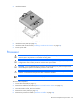
To remove the component:
1. Power down the node (on page 21).
2. Remove the node from the chassis ("Remove a node from the chassis" on page 22).
3. Place the node on a flat, level work surface.
4. Remove the access panel (on page 23).
5. Remove the processor air baffle ("Processor air baffle" on page 28).