
HP ProLiant SL4500 Series Chassis Maintenance and Service Guide


Removal and replacement procedures 71
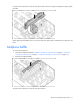
To replace the component, reverse the removal procedure. Be sure to align the midplane using the guides
provided.
When replacing the midplane cover, tilt it in toward the front of the chassis, and then down to align the screw
holes.
Midplane baffle
To remove the component:
1. Remove the midplane assembly ("Midplane assembly (3 node chassis)" on page 67, "Midplane
assembly (2 node chassis)" on page 63, "Midplane assembly (1 node chassis)" on page 59).
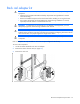
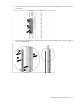
2. Remove the midplane baffle.
To replace the component, reverse the removal procedure.