HP ProLiant SL4500 Series Chassis Maintenance and Service Guide
Manuals
Brands
HP Manuals
Server
HP ProLiant SL4545 G7 Server
61
62
63
64
65
66
67
68
69
70
Removal
and replac
emen
t
procedures
69
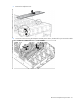
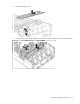
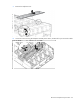
7.
Remove the midpl
ane cover
.
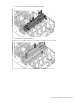
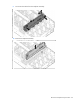
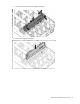
8.
Loosen the scr
ews securing the mid
plane assembly to t
he chassis, a
nd then lift it up to access the cables.
1
...
...
67
68
69
70
71
...
...
92